
Mouse Settings (Logitech G403)#
Disable Mouse Acceleration#
According to Gemini 3 Flash Preview, there was a switch from the old evdev to the newer libinput.
I want the “Flat” profile, so no matter how fast I move the mouse, it always moves the same distance (no acceleration).
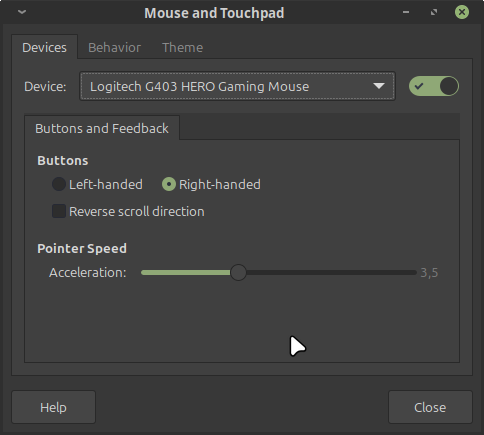
This is not acceleration, but sensitivity.#
Use xinput to force the flat profile:
xinput list
# my mouse has id=13
id=13
# disable acceleration
xinput set-prop $id "libinput Accel Profile Enabled" 0, 1
# set the speed to "extremely slow" :>
xinput set-prop $id "libinput Accel Speed" 0.0
xinput list-props $id > /tmp/a
# play with the slider and review
vimdiff /tmp/a <(xinput list-props $id)
Disable LED#
Install piper, a GTK application to configure gaming devices, and use it to disable the LED.
Fake Location on Firefox
Logstalgia with Caddy